
🌐 Remote Browser
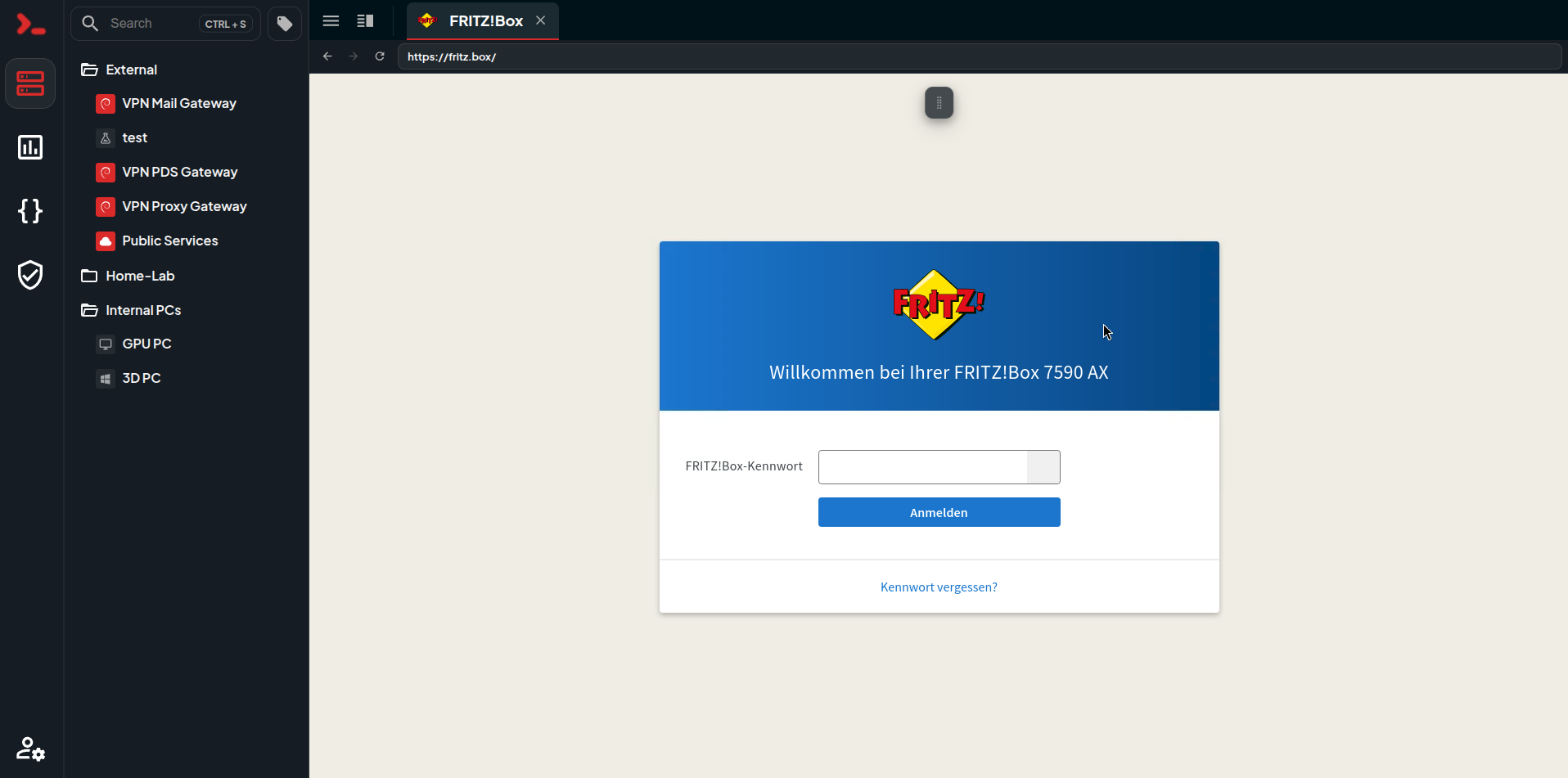
Nexterm can open a browser that runs on your server's network instead of yours. Pages are loaded through your SSH server, so anything that server can reach, you can browse.
Why?
Well, sometimes you have devices that only exist inside a network: a router or firewall UI, an IPMI console, a NAS, a switch, or anything else sitting behind a jump host.
This feature makes it convenient to browse those devices, even if you don't have a physical connection to them.
Opening a Browser
Right click an SSH server in the sidebar and pick Open Browser. A tab opens with a blank page and a small toolbar: back, forward, reload and an address bar. Type a hostname and press Enter.
Internal names work the way you'd expect. fritz.box or nas.lan are resolved on the SSH server, so you can use the same addresses you'd use if you were sitting on that box. Everything the page loads takes the same route, including images, API calls and WebSockets.
NOTE
Clipboard access needs Nexterm to be served over HTTPS
When the Session Ends
Closing the tab shuts the browser down and deletes its profile. Cookies, logins and cached files don't carry over into the next session, and nothing is stored on the server.
Sessions are also separate from each other, so two people browsing at the same time share nothing.
Permissions
The feature is controlled by the Open Browser (connect.web) permission, which is on by default. Remove it from a role to hide the option.
Every session writes an entry.web_connect entry to the audit log, and session recording works the same as it does for VNC and RDP.
How It Works
The browser runs inside the Nexterm engine. Its traffic goes through an SSH tunnel to the server you picked, and the screen comes back to you as a normal remote session. The device on the other end only ever sees a connection from your SSH server.
WARNING
Certificate errors are ignored, because appliances almost always have a self signed certificate. Nexterm won't warn you about a bad certificate between your server and the site, so keep that in mind when you browse anything else.
Limitations
- No file downloads.
- No audio.
- No typing in Greek, Cyrillic or CJK directly. Paste instead.